Schema-First Prompting Pattern for a Safe Postgres and Auth Model
Schema-first prompting turns chat prototypes into stable Postgres + auth models using clear contracts, permissions, and migrations.
By Casey
Why schema-first prompting matters when you start in chat
Chat-built prototypes move fast, but they often bake in assumptions that become painful later: loosely defined “users,” inconsistent fields, and permissions that live in prompts instead of the database. The schema-first prompting pattern flips that around. You still prototype by chatting, but you force the system to express the product as a durable data model early, so you can migrate to a production Postgres + authentication setup without rewrites.
This is especially practical in builders that generate real code and infrastructure. In Lovable, for example, you can iterate conversationally while the app is backed by a standard stack (React + Supabase + Postgres). Schema-first prompting keeps your database and auth model coherent as the prototype turns into something engineers can ship.
The schema-first prompting pattern in one sentence
Before you ask an AI to build screens and flows, ask it to produce (and then obey) an explicit schema contract: tables, relationships, row-level security assumptions, and the auth boundaries that determine who can read or write each row.
Step 1: Translate the idea into a domain model, not UI
Most prototypes start with pages: “Dashboard, Settings, Admin.” Schema-first starts with nouns and relationships:
- What are the core entities (e.g., project, task, invoice, workspace)?
- What is owned by a single user vs shared in a team?
- What needs an audit trail?
- What must be unique?
A practical prompt constraint is to ask for “the minimum set of entities required to support the key user stories, with no UI discussion.” This prevents premature denormalization (“just store a JSON blob”) and keeps you focused on data you can migrate.
Step 2: Define a schema contract the AI must follow
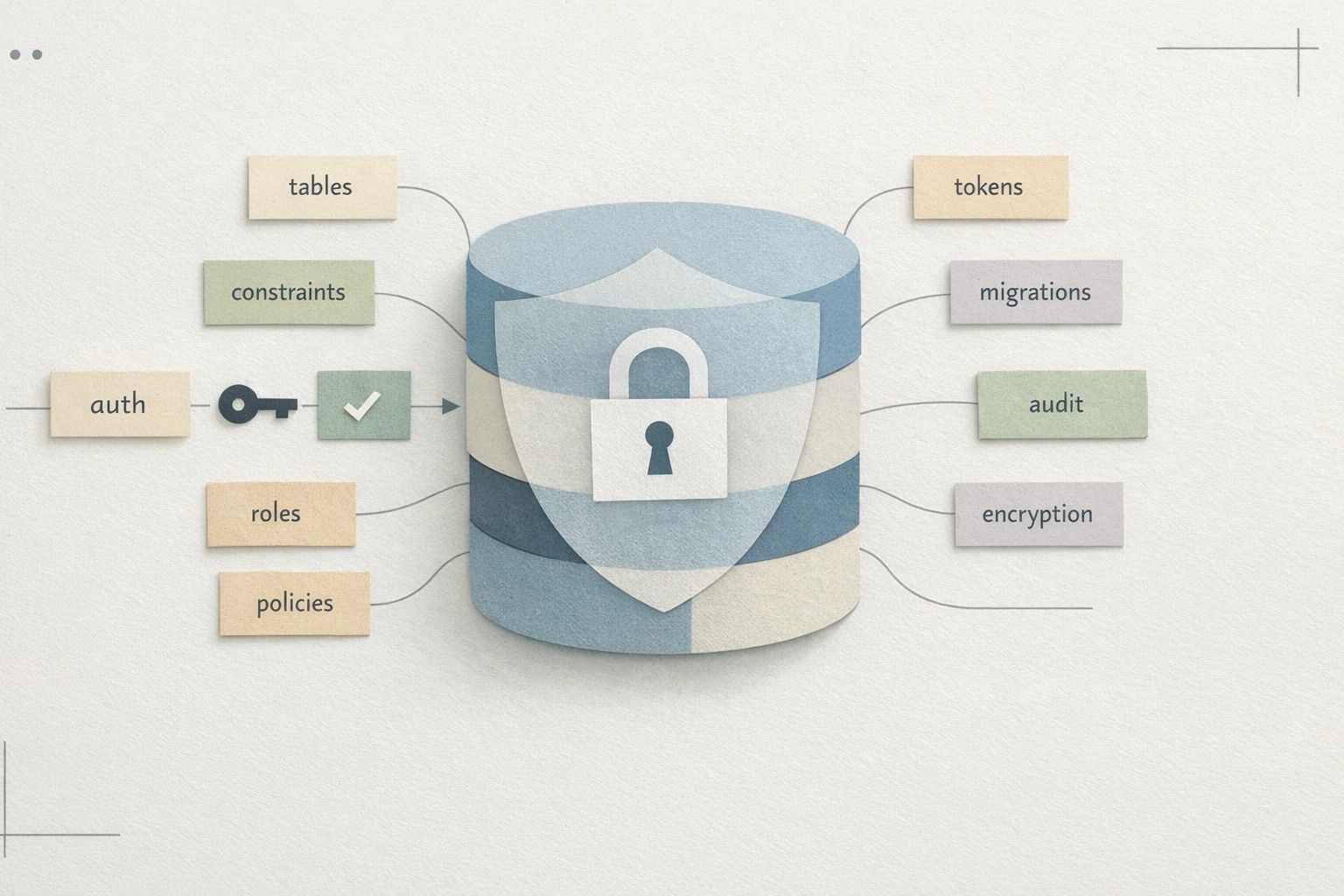
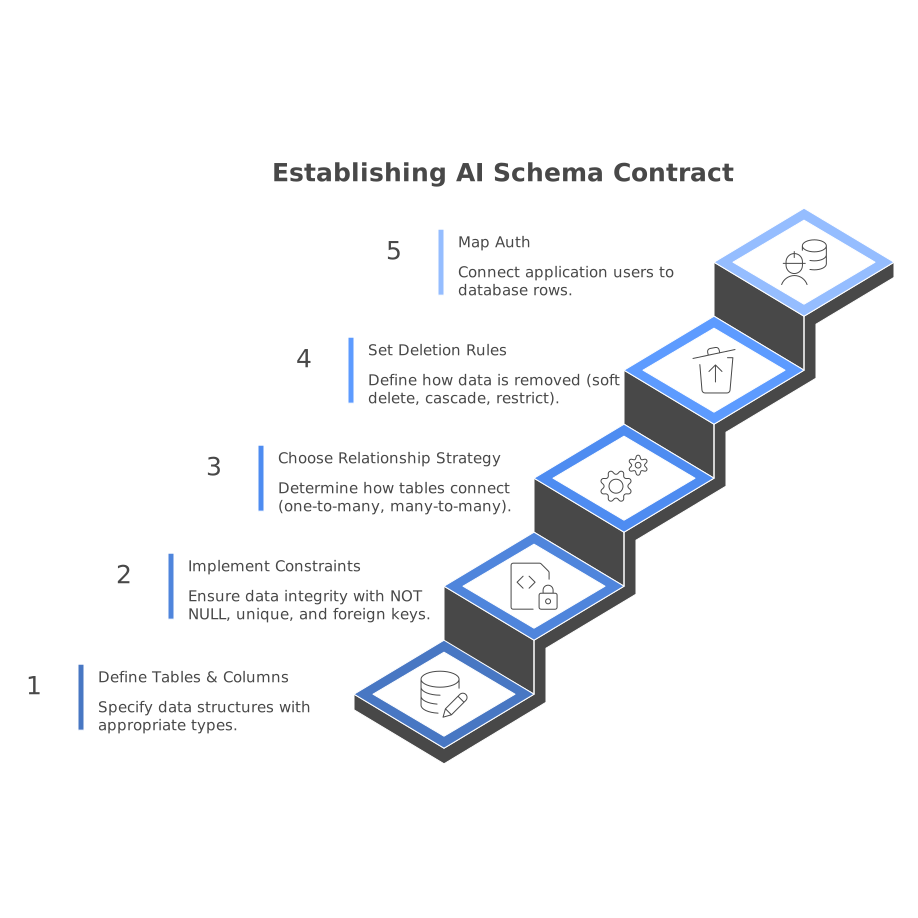
Your contract should be explicit enough that any future change is a conscious migration. A good contract includes:
- Tables and columns with types (UUIDs, timestamps, text, numeric).
- Constraints (NOT NULL, unique indexes, foreign keys).
- Relationship strategy (one-to-many, many-to-many join tables).
- Deletion rules (soft delete vs cascade vs restrict).
- Auth mapping: how application users map to database rows.
If your stack uses Supabase, the “auth mapping” typically includes a users table that references the auth user id and a consistent “owner_id” / “workspace_id” strategy for data access. The key is not the tool—it’s that the contract exists and is stable.
Step 3: Make auth and permissions part of the schema, not an afterthought
Teams often bolt on permissions after the UI works. That’s where rewrites happen: suddenly “projects” need workspace membership, roles, and read/write separation.
Schema-first prompting forces you to decide early:
- Tenancy model: single-user, team/workspace, or organization hierarchy.
- Role model: owner/admin/member, or scoped roles per resource.
- Access rules: what determines visibility (membership, sharing links, assigned tasks).
In a Postgres-backed app, this typically becomes a membership table (user_id, workspace_id, role) and consistent foreign keys from every shared resource to workspace_id. With Supabase-style row level security (RLS), you then enforce that only members can access rows for a workspace, and only certain roles can write.
Step 4: Design for migrations from day one
“Without rewrites” doesn’t mean “never change the schema.” It means changes are additive and migratable. A few practical habits help:
- Prefer UUID primary keys so records can move across environments safely.
- Use created_at and updated_at timestamps everywhere.
- Normalize carefully: avoid duplicating the same attribute across multiple tables unless you’re doing it intentionally for performance.
- Store enums thoughtfully: start with constrained text + check constraints or a lookup table, so it’s easy to extend.
- Separate “profile” from “auth identity”: keep app-specific user fields in your own table, referencing the auth user id.
When you prompt the AI, ask it to justify each table and each constraint. If it can’t justify a column, it shouldn’t exist yet.
Step 5: Use the schema contract to generate screens safely
Only after the schema and auth boundaries are defined should you ask for UI and flows. At that point, the prompt becomes stricter: “Generate pages and queries that only use these tables and columns; do not invent fields.”
This prevents a common drift where the UI introduces ad-hoc fields that don’t exist in the database, or where the AI “helpfully” stores extra attributes in a JSON column. You can still iterate quickly, but the iteration happens within a stable contract.
Step 6: Validate with realistic user stories and edge cases
A schema can look correct and still fail in practice. Use prompts that simulate real usage:
- Two users in the same workspace creating and editing the same record.
- A user removed from a workspace—what happens to their created resources?
- Inviting a user who hasn’t signed up yet.
- Public read-only sharing vs private content.
Ask the AI to map each story to the exact tables touched and the permission checks required. If the explanation references “application logic” for something that should be enforced at the database layer, treat that as a red flag and revise the schema/RLS rules.
Step 7: Keep prompts, schema, and code in sync as you scale
The payoff of schema-first prompting is long-term maintainability. You can export or sync code to GitHub, review pull requests, and evolve the database with migrations instead of re-generating the app. In practice, teams keep a single source of truth:
- A schema document (even a short one) describing tables and access rules.
- Migrations that implement it.
- Prompts or build instructions that reference the contract.
If you use Lovable to iterate, the same discipline applies: treat the schema contract as the backbone, and let the UI change as much as it needs—without changing what “a project” or “a membership” means every week.