Why Read Receipts and M365 Sensitivity Labels Can Undercut Email Warmup Engagement
Read receipts and M365 Sensitivity Labels can suppress or distort warmup engagement signals, making healthy inboxing look flat.
By Casey
The engagement signal problem hiding inside “Request read receipts”
Email warmup works because mailbox providers infer trust from human-like engagement: opens, replies, reading time, moving messages between folders, and other “this recipient wanted this” behaviors. During warmup, those signals matter even more because you are gradually teaching filters that your mail is welcomed.
The trap is that some well-intended corporate settings can quietly suppress or distort those signals. Two of the most common are:
- Requesting read receipts on outbound messages
- Microsoft 365 (M365) Sensitivity Labels and related information protection behaviors
Both can cause engagement telemetry to become incomplete, delayed, or non-representative of what actually happened. You may still get replies, but you can lose the steady, low-friction “open and read” signals that warmup systems and deliverability monitoring often rely on.
How read receipts reduce engagement without anyone noticing
Read receipts feel like a harmless toggle: you ask for a confirmation, and you either get it or you don’t. In practice, read receipts introduce extra friction and policy checks that can change recipient behavior and client behavior.
1) Many orgs block or ignore them by policy
In M365-heavy environments, read receipts are often disabled, restricted, or set to “never send automatically.” Even when a message is read, the receipt is never generated or never leaves the tenant. From your perspective, the message looks unengaged even if it was read carefully.
2) Users see the prompt and choose “Don’t send”
When a client does prompt, it becomes an interruption. Recipients frequently decline because it feels like tracking. That response is rational—and it can be widespread in security-aware departments (IT, legal, procurement), which happen to be common targets for outbound B2B campaigns.
3) It changes the “feel” of the email during warmup
Warmup messages should resemble everyday correspondence. “Request read receipt” adds a subtle “this is monitored” layer that can reduce natural behavior like quick skimming or casual opens across devices. In a warmup phase, you want predictable, low-resistance interactions—not prompts.
Where M365 Sensitivity Labels interfere with warmup signals
Sensitivity Labels are designed to reduce data leakage and enforce handling rules. They can apply encryption, restrict forwarding, add headers, and influence how a message is rendered. Those protections are valuable, but they can also reduce the clarity of engagement signals.
Encryption and protected messages can break normal rendering
When a message is encrypted or “protected,” the reading experience changes. The recipient may have to click through a portal, authenticate, or open a protected viewer. That can lead to:
- Fewer conventional opens as tracked by standard client behavior
- Less consistent preview-pane reading, because protected messages often don’t preview normally
- Delayed engagement while the recipient completes extra steps
From a warmup standpoint, you may see a pattern of “delivered, no open” followed by occasional delayed replies—an engagement profile that can look suspicious even if the recipient experience was legitimate.
Tenant-to-tenant trust and external recipient friction
Labels and protection settings vary across tenants. A message that is easy to open internally can be clunky externally, especially for contractors, shared mailboxes, or recipients using different identity providers. Warmup depends on consistent interactions; anything that introduces access friction tends to reduce the number of positive, low-effort signals.
Security controls often co-occur with stricter mail hygiene
Organizations using Sensitivity Labels frequently also run stricter anti-phishing, URL detonation, attachment sandboxing, and outbound policy controls. That combination can be perfectly legitimate, but it means your warmup phase must be even cleaner: fewer “tracking-like” behaviors, fewer unusual headers, and fewer prompts that look like monitoring.
The read-receipt trap during warmup specifically
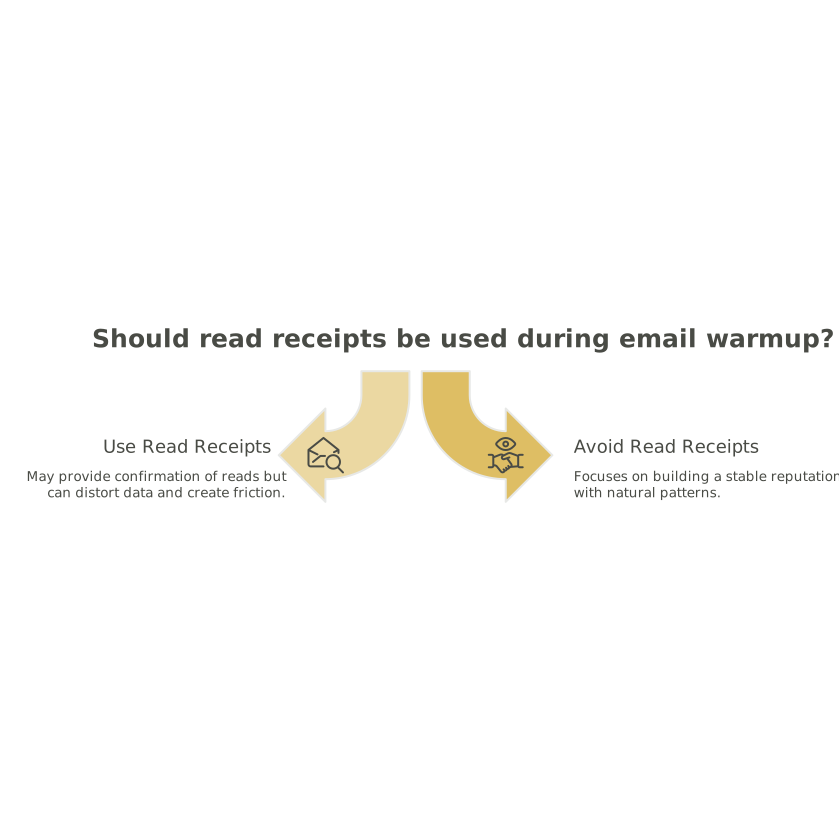
The warmup goal is not “prove that the email was read.” It is “build a stable reputation using natural patterns.” Read receipts and certain label configurations can move you away from that goal in three ways:
- Signal suppression: reads happen, but evidence does not reliably reach you.
- Signal distortion: reads shift to portal views or delayed opens that look atypical.
- Behavioral friction: recipients do less because the email feels tracked or protected.
If you are evaluating warmup performance through dashboards that focus on open rate trends, you can misdiagnose a healthy warmup as “not working,” then over-correct (e.g., change content too often, increase volume too fast, or add more tracking), which creates additional risk.
Practical guardrails for outbound teams warming up new mailboxes
Remove read receipts from warmup and early outreach
During warmup, prioritize frictionless reading. If your organization has a compliance reason to use receipts, consider restricting them to specific internal workflows rather than applying them to new outbound mailboxes or automated sequences.
Audit which Sensitivity Labels are applied by default
Many teams discover labels are applied automatically through templates, Outlook defaults, or policy. For warmup mailboxes, aim for a baseline label configuration that does not force portal-based reading for routine outbound. If you must use protection, test the recipient experience with external accounts and confirm that it renders normally across desktop, web, and mobile clients.
Judge warmup health on multiple signals, not just opens
When opens are unreliable, replies and inbox placement consistency matter more. This is where a deliverability-first warmup platform becomes useful: you want a system that focuses on realistic human-like interactions across providers and helps stabilize sender reputation even when certain telemetry is noisy.
mailwarm is built around generating authentic engagement actions across major inbox ecosystems (including Microsoft 365), which is especially relevant when corporate controls make conventional engagement reporting less straightforward.
Keep your warmup identity consistent
If you rotate templates, aliases, and sending patterns too aggressively, you create a moving target for both recipients and filters. A consistent identity graph—who is sending, from what domain, with what typical behavior—makes it easier to interpret engagement changes. The same “identity consistency” principle shows up in other operational contexts, such as building a feedback identity graph, where stable identifiers prevent false conclusions from fragmented signals.
What to test when engagement looks “flat” in Microsoft 365-heavy segments
If you’re warming up and notice low opens specifically among M365 recipients, treat it like an instrumentation problem before treating it like a deliverability collapse:
- A/B test with and without read receipts for a small sample of identical messages.
- Send a controlled message without restrictive labels (where policy allows) and compare read behavior.
- Check whether protected messages trigger portal access for external recipients.
- Compare reply rates and “time to first reply” across segments; replies often survive where open telemetry does not.
When you’re confident that engagement is happening but not being cleanly measured, avoid “fixes” that add more tracking surface area. Instead, refine the warmup approach, keep content simple, and ensure that policy-driven friction (receipts and labels) is not accidentally suppressing the signals you are trying to build.