Branch-Per-Feature Preview Environments for React and Supabase Apps
Set up branch-per-feature previews with GitHub Actions, isolated Supabase databases, and migration checks for safe React releases.
By Casey
Why branch-per-feature previews are the safest way to ship AI-generated apps
When your product is being iterated quickly—especially with AI-assisted code generation—preview environments become less about convenience and more about risk control. A pull request that “looks fine” on a developer machine can still break production through a subtle schema mismatch, an auth edge case, or a background job writing unexpected data.
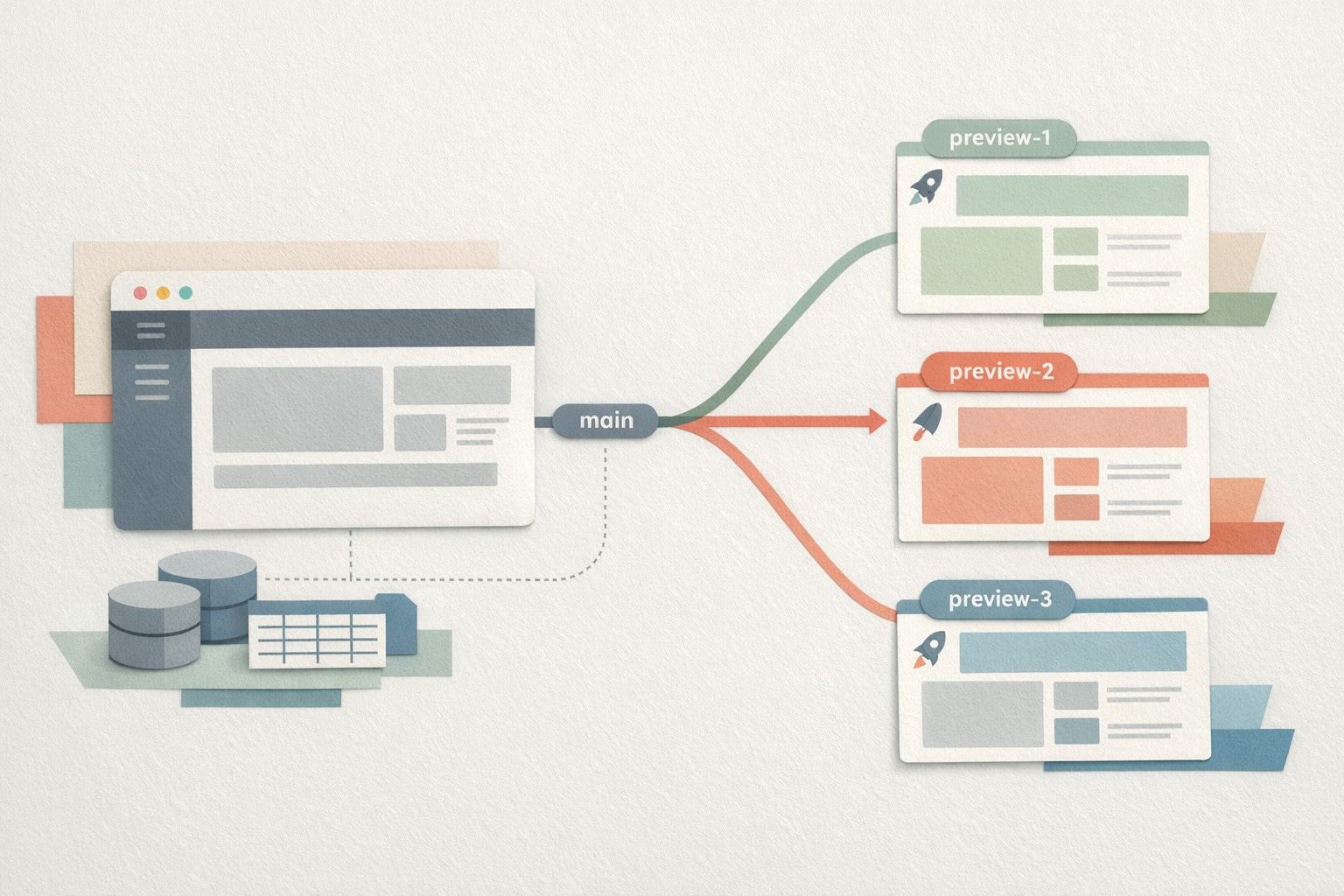
Branch-per-feature previews solve that by giving each PR its own isolated staging environment: a unique URL, a fresh or cloned database, and an explicit migration path. For teams building React + Supabase apps (a common default for modern AI app builders), this pattern becomes the practical guardrail for safe schema changes and predictable releases.
If you’re generating a prototype in minutes and then hardening it in code, tools like lovable.dev fit naturally here: you can start with an AI-generated React + Supabase baseline, sync to GitHub from day one, and then let GitHub Actions provision previews per branch without turning experimentation into production risk.
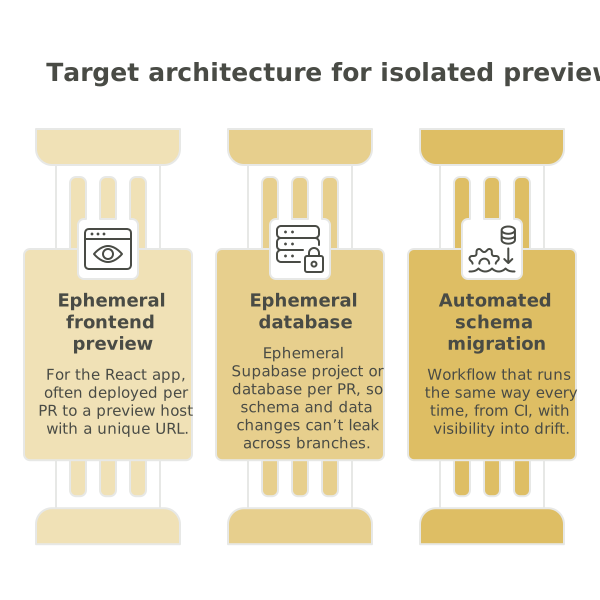
The target architecture for isolated previews
A solid recipe has three moving parts that must stay aligned:
- Ephemeral frontend preview for the React app (often deployed per PR to a preview host with a unique URL).
- Ephemeral Supabase project or database per PR, so schema and data changes can’t leak across branches.
- Automated schema migration workflow that runs the same way every time, from CI, with visibility into drift.
The non-negotiable design principle is isolation: the preview environment should be “production-like,” but it should never share a database with production or with other previews. That’s what makes schema changes safe to review.
GitHub Actions workflow overview
The simplest mental model is: on PR open/update, create resources and deploy; on PR close, destroy resources.
Triggers
- pull_request for opened, synchronize, reopened to build/update the preview
- pull_request for closed to clean up infrastructure
Jobs you’ll typically have
- compute-preview-ids: derive a stable identifier from PR number (e.g.,
pr-148) - provision-db: create an ephemeral Supabase project (or a dedicated schema/database) and store connection details as GitHub environment variables
- migrate: apply migrations in CI to the ephemeral database
- deploy-frontend: build the React app and publish to a preview URL, injecting Supabase keys for that preview
- comment-on-pr: add the preview URL and any migration output back to the PR
- cleanup: on PR close, remove the preview deployment and delete the ephemeral database/project
Ephemeral Supabase options and how to choose
There are two common approaches, each with different operational tradeoffs:
Option A: One Supabase project per PR
This is the cleanest isolation boundary. Each preview gets its own auth, storage buckets, and database. It’s also the most expensive and can hit project limits quickly. It’s best when you have complex auth flows, storage rules, or realtime policies that need full-environment parity.
Option B: Shared Supabase project, isolated database per PR
This is cheaper and often faster. You keep one Supabase project but provision a separate Postgres database (or at least a separate schema + role) per PR. You still get strong isolation if you do it correctly, but you must be disciplined about roles, RLS policies, and connection strings.
For multi-tenant products, the isolation story extends beyond previews: you’ll often want stronger guarantees that tenant data cannot cross boundaries even in staging. The same thinking shows up in edge-enforced tenant isolation, where isolation is treated as an architectural property rather than a convention.
A practical GitHub Actions recipe
At a high level, your workflow should do the following in a deterministic, reviewable way:
1) Derive a preview identifier
Use the PR number to create predictable names, such as:
PREVIEW_NAME=pr-148DB_NAME=app_pr_148PREVIEW_URL=https://pr-148.preview.yourdomain.com
This makes cleanups reliable and prevents resource sprawl.
2) Provision the database and credentials
Use GitHub Secrets for your admin credentials (never store database admin keys in the repo), and create a least-privilege role for the preview app. The action should output:
- Database connection string for migrations (admin or migrator role)
- Database connection string for the app runtime (restricted role)
- Supabase URL and anon key for that preview environment
Store these in GitHub’s environment-scoped variables for the PR preview, not as global repository variables, so a compromised preview can’t pivot into other environments.
3) Apply migrations and detect drift
Schema safety is the point of the exercise. A good workflow enforces:
- Migration-only changes: schema changes must be represented by new migration files, not by manual edits
- Idempotent runs: rerunning CI should not break the database state
- Drift checks: fail the build if the generated schema differs from the repository’s expected state
When your previews are created often, it’s easy to end up with “silent success” where a migration step exits cleanly but leaves an inconsistent schema. It’s worth adopting typed checks and rollback patterns similar to the mindset in typed validation and rollbacks for automations, applied here to schema and seed data.
4) Seed minimal data safely
Previews are most useful when reviewers can click through real flows. Seed only what you must:
- Create a few test users (or enable passwordless magic links in preview-only mode)
- Insert a tiny dataset for UI paths
- Never seed production exports into a PR database unless it’s anonymized and approved
Make seeds repeatable and versioned, so PR updates don’t create accumulating junk that masks bugs.
5) Build and deploy the React preview
Inject environment variables at build or runtime for the preview Supabase instance. The deploy step should be deterministic (lockfile-based installs, pinned Node version) to avoid “works on my machine” discrepancies.
Finally, comment on the PR with:
- Preview URL
- Database identifier
- Migration status summary
6) Clean up on PR close
Resource cleanup is part of correctness. When a PR is closed or merged, delete:
- The preview deployment
- The ephemeral database/project
- Any PR-scoped secrets or environment variables
If cleanup fails, alert. Otherwise you’ll quietly accumulate databases and keys, which is both cost and security debt.
Safe schema changes without blocking velocity
The main operational benefit of this system is confidence: you can review a PR knowing it runs against the schema it expects. The main cultural benefit is consistency: every change has a preview, every preview has isolated data, and every schema change is expressed through migrations.
In fast AI-assisted builds, that’s the difference between experimentation that compounds and experimentation that destabilizes. By keeping previews automatic and disposable, teams can iterate quickly while still treating the database as a first-class piece of production engineering.