Audio-to-Artifact QA Benchmark for 20 Meetings Across Zoom, Meet, and Teams
A practical 20-meeting benchmark to evaluate transcript accuracy, speaker labels, and summary fidelity across Zoom, Meet, and Teams.
By Casey
Why audio-to-artifact QA needs a real benchmark
Meeting AI has quietly shifted from “nice-to-have notes” to system-of-record artifacts: transcripts get searched, summaries get pasted into CRMs, and action items drive follow-up. That changes what “accuracy” means. It’s no longer enough for a transcript to feel roughly right. You need to know whether a tool reliably converts a live conversation into usable artifacts: correct words, correct speakers, and a summary that preserves intent.
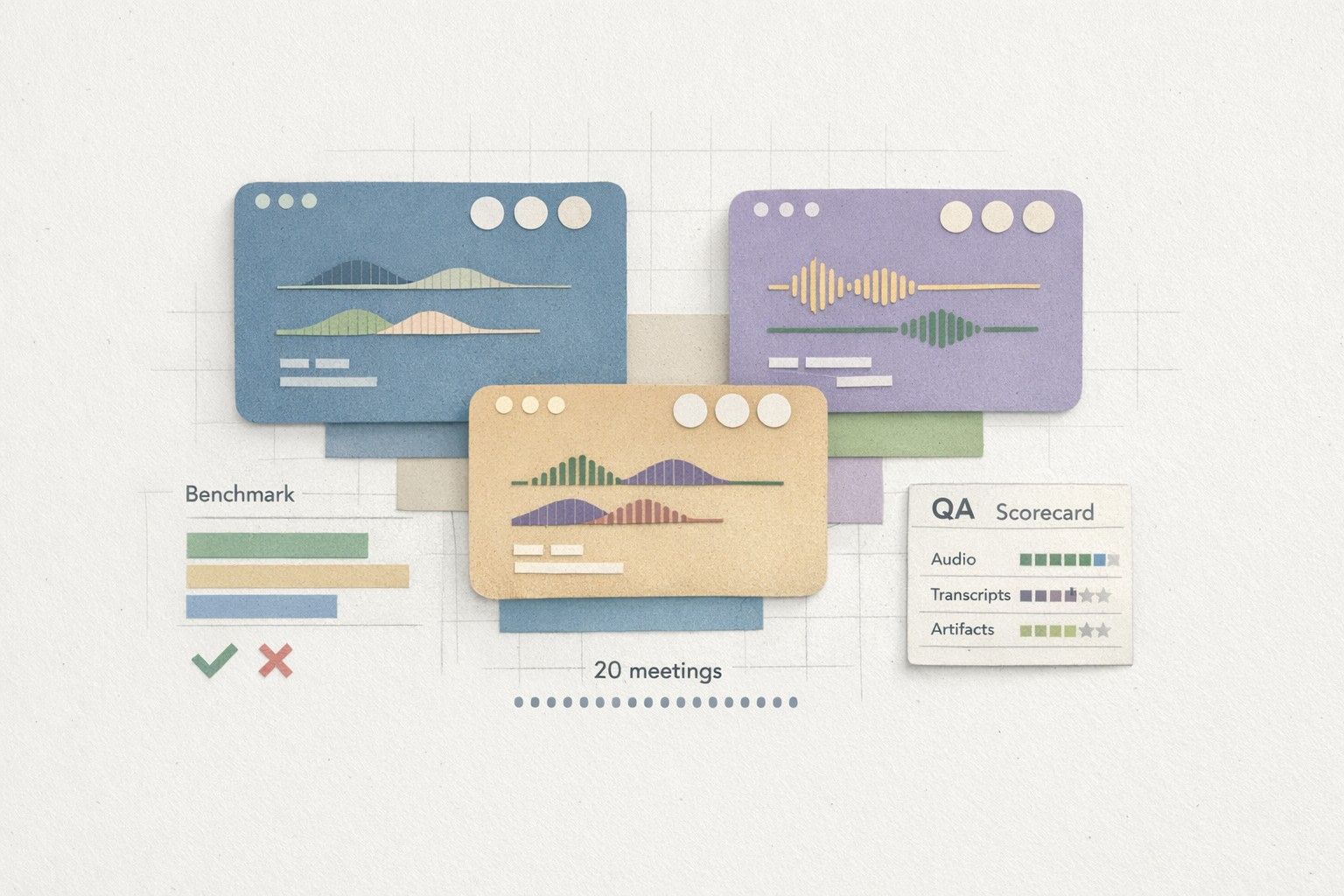
An “audio-to-artifact QA” benchmark is designed to measure that end-to-end pipeline across the platforms where meetings actually happen—Zoom, Google Meet, and Microsoft Teams—using a consistent test set. This article lays out a practical 20-meeting benchmark you can run to compare tools, quantify regressions, and build confidence before you operationalize meeting outputs at scale.
What the 20-meeting benchmark is testing
The benchmark evaluates three outputs produced from the same underlying meeting: (1) the transcript, (2) speaker attribution, and (3) the meeting summary (including action items). Each category has different failure modes:
- Transcript accuracy: missing words, wrong words, punctuation issues that change meaning, incorrect formatting around lists or numbers.
- Speaker attribution: correct mapping between utterances and people, including interruptions and overlapping talk.
- Summary fidelity: whether the summary reflects what was actually decided, what remains open, and who owns next steps—without hallucinating.
Tools like Fathom are often evaluated on “how good the notes look.” The benchmark instead makes that evaluation repeatable: you can rerun it after model updates, new audio settings, or platform changes, and you can compare vendors on a stable yardstick.
How to select the 20 meetings
The goal is diversity without exploding scope. Twenty meetings is enough to cover common edge cases while remaining realistic for manual labeling.
Meeting distribution across platforms
- 7 meetings on Zoom
- 7 meetings on Google Meet
- 6 meetings on Microsoft Teams
Keep durations in the 20–45 minute range so that summary quality and action item extraction are meaningfully testable.
Participant and audio conditions
- At least 5 meetings with 2 speakers, 10 meetings with 3–5 speakers, and 5 meetings with 6+ speakers.
- At least 6 meetings include accents or mixed native/non-native speakers.
- At least 6 meetings include mild background noise or variable microphones.
- At least 5 meetings include screenshare-driven talk (reading numbers, referencing tickets, or quoting text).
Conversation types to include
- Customer call (discovery, demo, renewal, or onboarding)
- Internal planning meeting (priorities, roadmap tradeoffs)
- Incident or ops review (timelines, owners, mitigations)
- Hiring interview (structured Q&A)
- Cross-functional status sync (fast context switching)
These categories matter because they stress different parts of the system: rapid turn-taking strains speaker attribution; incident reviews stress timestamps and named entities; customer calls stress accurate capture of commitments and objections.
Ground truth: the labeling you actually need
Benchmarks fall apart when “truth” is unclear. The minimum viable ground truth for this 20-meeting set is:
- Reference transcript: a human-corrected transcript per meeting (not necessarily verbatim with every filler word, but consistently edited to a defined standard).
- Speaker map: a canonical list of participants and how they appear in audio, plus a corrected speaker label per utterance segment.
- Reference summary: a short human-written summary and a separate list of decisions, risks, and action items with owners.
To reduce reviewer drift, define a style guide: how you handle “um,” how you standardize numbers (“twenty” vs “20”), and how you represent acronyms. If your organization uses specialized terminology, consider a controlled vocabulary list. This is also where systematic feedback loops matter; approaches like building a structured identity layer for feedback and evaluation can help keep labels consistent over time (see Building a Feedback Identity Graph to Merge Feature Requests Without Losing Revenue Context).
Scoring transcript accuracy and speaker attribution
A single score rarely tells the truth. Use a small set of complementary metrics and keep them consistent.
Transcript accuracy metrics
- WER (Word Error Rate): good for overall accuracy, but can penalize harmless formatting differences.
- Entity recall: measure correct capture of names, companies, product terms, ticket IDs, dates, and amounts.
- Number accuracy: separate scoring for numerals and spelled-out numbers, since mistakes here can be costly.
Speaker attribution metrics
- Speaker turn accuracy: percent of utterance segments assigned to the correct speaker.
- Confusion pairs: which speakers get swapped most often (useful for diagnosing similar voices or poor join audio).
- Overlap robustness: evaluate a handful of clips with interruptions and cross-talk; many systems degrade sharply here.
Store per-meeting scorecards so you can see patterns (Teams-only issues, large-meeting degradation, etc.), not just one blended number.
Scoring summary fidelity without rewarding hallucinations
Summaries can look polished while being wrong. The benchmark should treat summary evaluation as a fidelity problem, not a writing contest.
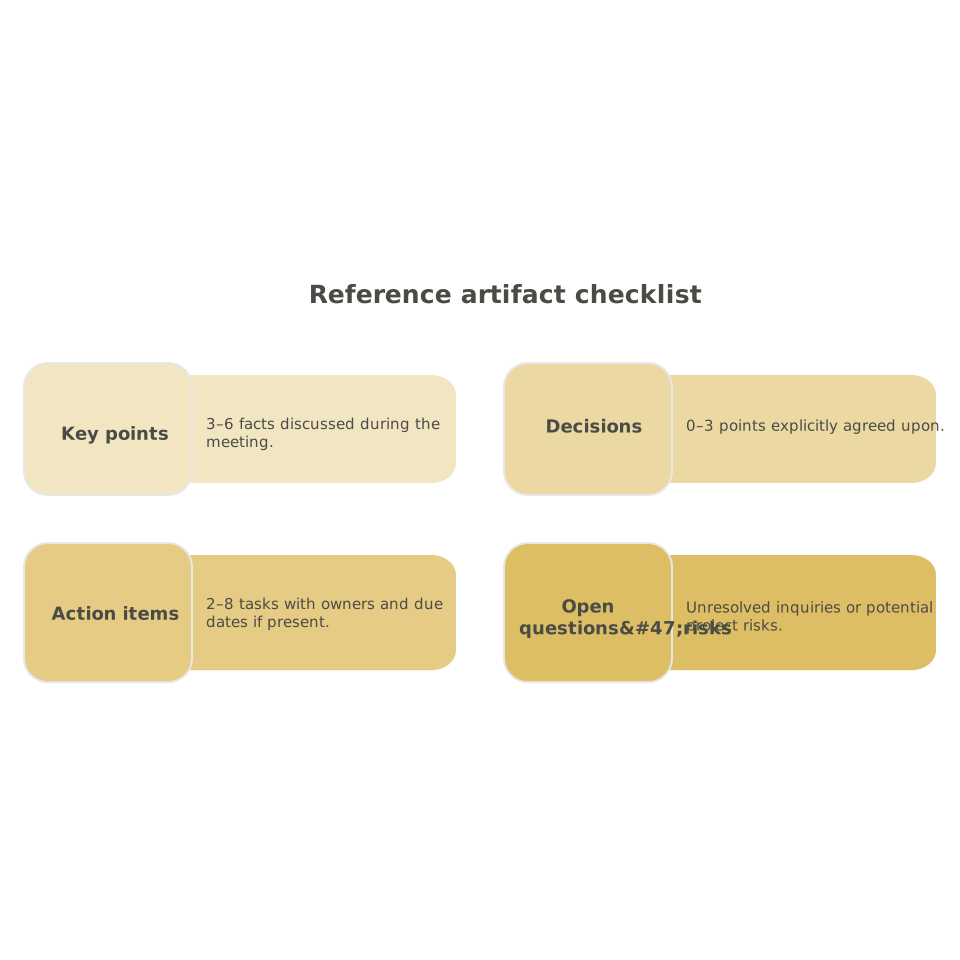
Reference artifact checklist
For each meeting, your human reference should include:
- 3–6 key points (facts discussed)
- 0–3 decisions (explicitly agreed)
- 2–8 action items with owners and due dates if present
- Open questions/risks
Summary scoring rubric
- Coverage: how many reference items are captured.
- Contradictions: any summary claim that conflicts with the transcript.
- Unsupported claims: statements not grounded in the meeting (hallucinations).
- Attribution correctness: whether actions and decisions are assigned to the right people.
To keep the benchmark operational, you can turn this rubric into a simple form and require reviewers to cite transcript spans for each scored item. That makes disagreements resolvable.
Running the benchmark across Zoom, Meet, and Teams
Run each meeting through the exact configuration you would deploy in production: same language settings, same vocabulary options, same sharing and storage rules. If you test a tool like Fathom, keep settings consistent across platforms and capture the raw transcript, timestamps, speaker labels, and the final summary artifact.
Also track “pipeline” metadata: join method, whether the tool used a bot participant, audio source (system audio vs mic), and any platform-specific constraints. Many real-world errors come from the integration layer, not the model.
If you plan to push artifacts into downstream systems (CRM fields, task trackers, Slack), add a lightweight validation step so that “successful delivery” isn’t mistaken for “correct content.” The same principle appears in automation engineering: typed checks and rollbacks prevent quiet corruption (see Prevent Silent Success in Internal Automations with Typed Validation and Rollbacks).
What good benchmark outputs look like
- A per-meeting report: WER, entity recall, speaker accuracy, and summary rubric results.
- A cross-platform comparison: Zoom vs Meet vs Teams deltas, with notes on integration factors.
- An error taxonomy: top recurring mistakes (numbers, names, speaker swaps, action item owners).
- A regression harness: the ability to rerun the same 20 meetings after updates and detect quality drift.
Once you have this baseline, you can treat meeting artifacts like any other production output: measured, monitored, and improved. That’s the step that turns an AI notetaker from a helpful assistant into a dependable meeting record—especially when the artifacts are shared across teams and queried later.