Two-Minute Capture and Ten-Minute Triage for Turning Notes into Time-Blocked Tasks
A practical workflow to capture ideas in 2 minutes, triage in 10, and convert notes into realistic time-blocked tasks.
By Casey
Two minutes to capture without losing focus
Scattered notes usually aren’t a “motivation problem.” They’re a capture problem: ideas arrive mid-task, during meetings, or while you’re context-switched and can’t afford to stop and organize. The fastest way to stay focused is to separate capturing from deciding. This is the heart of the “Two-Minute Capture, Ten-Minute Triage” workflow: you collect everything quickly in one place, then you process it in a short, scheduled window that converts the useful parts into time-blocked tasks.
The goal is not to perfectly sort every thought. The goal is to prevent your brain from reopening loops while you’re trying to do real work. If capture is consistently frictionless, your notes stop multiplying across sticky notes, chat drafts, random docs, and half-finished to-do lists.
What qualifies as a “capture” item
Capture anything that would otherwise pull you out of your current focus:
- Next actions you just discovered (“Email finance about invoice discrepancy”).
- Meeting follow-ups (“Draft decision doc,” “Schedule stakeholder review”).
- Ideas you don’t want to lose (“Try a new onboarding sequence”).
- Questions to resolve later (“Do we have data for cohort X?”).
Keep captures short and “action-adjacent.” If an item needs a paragraph to explain, write a single line plus a pointer (e.g., “Rework pricing slide—see meeting notes”).
The two-minute capture rule
When something pops up, you get two minutes to record it and return to what you were doing. No prioritizing. No tagging. No scheduling. Just capture and move on.
To make that realistic, you need one trusted inbox that’s always reachable. A unified workspace helps here: Routine combines notes, tasks, and calendar so capture doesn’t become a detour across multiple apps. The practical win is psychological: if you know triage is coming later, you can stop negotiating with yourself in the moment.
Ten minutes to triage into time-blocked tasks
Capture prevents distraction; triage creates progress. The triage window is where scattered notes become scheduled work you can actually execute. It’s deliberately short: ten minutes forces clarity and prevents you from turning “organization” into procrastination.
Schedule your triage window on purpose
Pick a time that matches your work rhythm. Common options:
- Late morning (after you’ve cleared urgent messages).
- Mid-afternoon (before energy dips and you need a reset).
- End of day (to protect tomorrow’s focus).
Most people do best with one daily triage and a slightly longer weekly pass. The daily ten minutes turns notes into tasks; the weekly pass ensures your calendar reflects priorities rather than leftovers.
The triage checklist that prevents backlog creep
In the triage window, process each capture item with the same sequence:
- Clarify the next action: what is the smallest visible step? (“Draft outline” beats “Work on strategy.”)
- Choose a lane: is it a task, a note/reference, or something to discard?
- Estimate roughly: 10 minutes, 30 minutes, 60+ minutes. Precision isn’t required.
- Decide when it happens: time-block it, assign it to a specific day, or defer intentionally.
This checklist keeps you from keeping “maybe” items in limbo. If you can’t decide, the system should force a decision: schedule a short “figure out what this means” block, or drop it.
How to convert notes into time blocks without overplanning
Time blocking works when it reflects reality: limited hours, limited attention, and a day full of constraints. The conversion step should be simple enough that you do it every day.
Use three task types so your calendar stays honest
Most captured items fit into one of these categories:
- Quick actions (≤10 minutes): batch them into a single block (e.g., “Admin cleanup”).
- Deep work (30–90 minutes): block as a focused session with a clear outcome.
- Waiting/async: create a task with a “waiting for” note and a follow-up date, not a calendar block.
This prevents the common mistake of scheduling everything as if it requires deep focus. When the calendar is realistic, you trust it—and you stop “mentally rescheduling” all day long.
Make the block describe an outcome, not just time
Instead of “Work on roadmap,” schedule “Roadmap: pick top 3 bets + write rationale.” Outcome-based blocks reduce decision fatigue when the block begins. They also make it easier to stop when you’ve achieved the objective, rather than expanding work to fill time.
Protect focus by limiting how often you reschedule
Rescheduling is sometimes necessary, but frequent reshuffling fragments attention. A useful rule is: reschedule in triage, not during execution. If you hit a conflict mid-day, capture the change (“Move customer deck prep to tomorrow morning”) and let triage place it properly.
What to do with meeting notes so they don’t become a graveyard
Meeting notes are a major source of scattered obligations. The solution is to treat every meeting note as incomplete until it yields one of three outputs:
- Decisions (what’s true now),
- Owners (who does what),
- Next actions (the first step you can schedule).
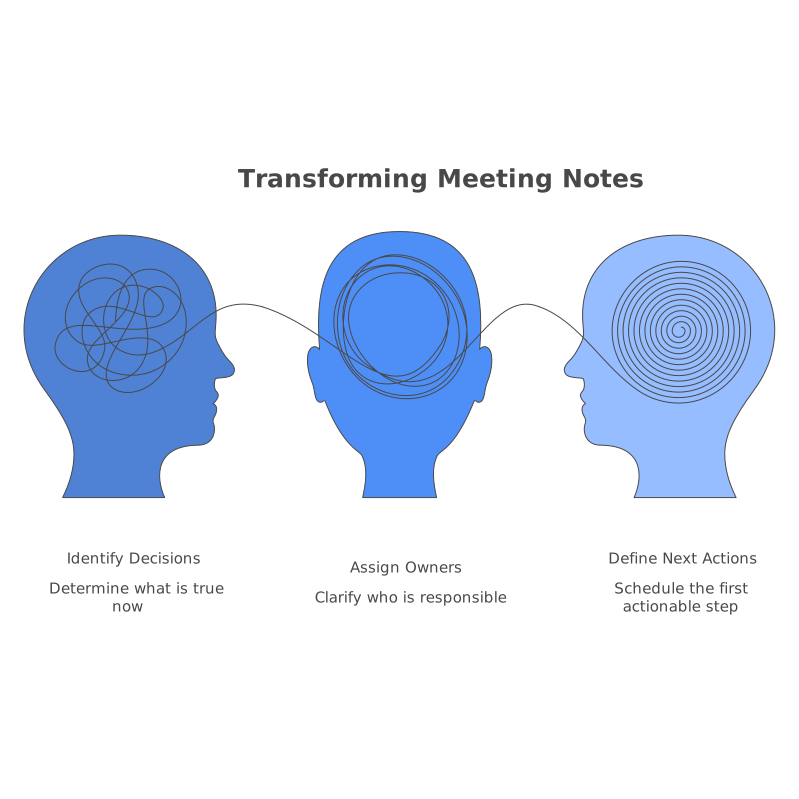
During triage, scan recent meeting notes and extract only the actionable pieces into tasks. The rest stays as reference. This one habit eliminates the “I wrote it down somewhere” problem because the calendar ends up holding the commitments that actually require time.
Common failure modes and how to fix them
You keep capturing, but nothing gets done
This usually means triage isn’t happening consistently or isn’t converting into time blocks. Keep the ten-minute window sacred and make the output measurable: at least one deep-work block scheduled per day, plus one batch block for quick actions.
Your task list is huge, so scheduling feels pointless
A long list isn’t the enemy; unscheduled priorities are. Don’t try to time-block everything. Time-block the few items that represent real progress, and keep the rest as options. If you need a structured way to route and dedupe incoming requests before they become noise, borrow concepts from a product-oriented approach like this feedback triage playbook and apply the same idea to personal and team tasks.
You’re switching between too many systems
If capture happens in one app, tasks live in another, and scheduling happens somewhere else, you’ll either avoid triage or spend ten minutes just navigating. A unified tool reduces that friction. With Routine’s combined notes, tasks, and calendar, the workflow becomes: capture instantly, triage quickly, then convert directly into time blocks without rebuilding context from scratch.
How this workflow scales to teams
“Two-minute capture” isn’t only personal; it’s a team habit. Shared meeting agendas and shared notes reduce the follow-up chaos that happens when each person captures in their own private system. The same is true for operational work: when tasks are tied to a shared schedule, dependencies show up early rather than at the last minute.
For teams that run on recurring operational tasks, the mindset is similar to how engineering teams tame automation: define what runs, when it runs, and how you observe it. If you’re dealing with repetitive scheduled work across systems, it’s worth seeing how disciplined scheduling translates in infrastructure contexts like migrating cron sprawl to code-defined DAGs, then applying that same clarity to human calendars and task ownership.
The practical promise of two minutes and ten minutes
This workflow doesn’t ask you to “be more disciplined” all day long. It asks you to do two things: capture fast when your attention is precious, and triage briefly when you can think clearly. Over time, scattered notes stop being a source of guilt and become what they were meant to be: raw input that reliably turns into scheduled action.